Published by Dating Online
What can a profile reveal without naming an address?
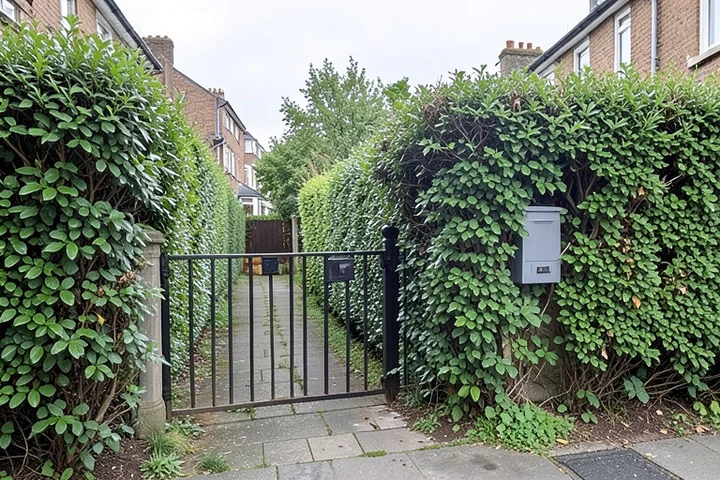
Profile text often supplies enough context for a stranger to narrow down parts of a person's life. A full employer name, a highly specific job title, a neighborhood, a child’s school activity, a regular class, or a distinctive local landmark can connect a dating profile to places and routines outside the app.
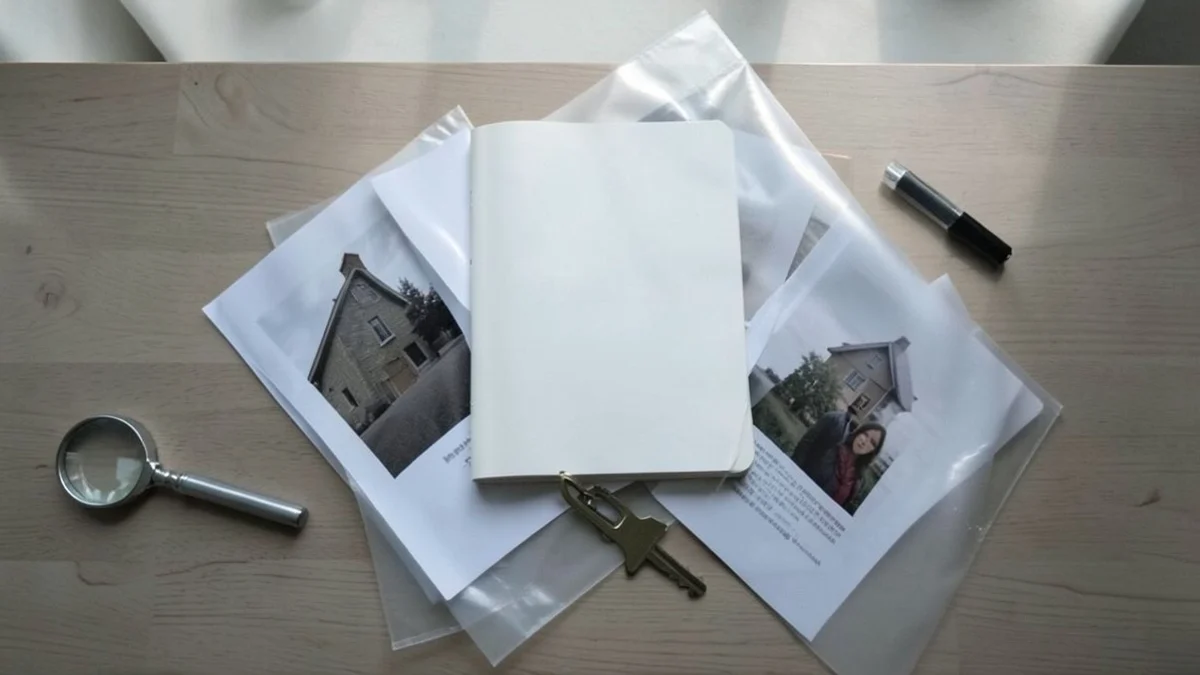
Photos add another layer of direct evidence. Building signs, work badges, house numbers, vehicle plates, school logos, recognizable views from a home, and recurring locations in photo backgrounds deserve the same review as the written bio. Family members and friends in images also reveal information about people who did not choose to join the app.
Read the profile as an unfamiliar viewer would: combine the bio, each image, visible captions, and any connected account. Generalizing a workplace to an industry, a home area to a broad city or region, and a routine to an interest preserves useful dating context while reducing unnecessary detail.
Published privacy controls do not stop another person from drawing inferences from material already visible or copying a public image or bio. Remove or edit details that no longer belong on the profile, then replace exposed photos if their backgrounds reveal more than intended.
Location and routine clues deserve a separate review
Distance displays, precise location access, commute references, and repeated mentions of a particular gym, trail, café, or work shift can narrow a person’s usual area. One clue may be vague; several recurring clues create a much more specific picture.
App settings and privacy policies distinguish between data an app collects and location information shown to other users, but labels and available controls differ by app version, account type, operating system, and region. A stated policy also cannot account for conclusions another user draws from a profile, photos, and conversation details.
Inspect both the app’s location setting and the phone’s permission setting. Where a choice exists, favor the least precise access that still supports the feature you understand and want. Remove references to recurring locations, commute times, or regular schedules when they add little to the profile.
Recognizable home and work backgrounds merit particular attention because they combine place information with visual detail. Cropping, replacing, or withholding those images prevents that exposure at the source; changing a later privacy setting does not retract information already shared.
Check the permissions that change exposure
Phone-level permission controls show the access currently granted to an installed app. Compare those controls with the app’s own settings because one screen governs device access while the other often governs account features and visibility.
- Location. Confirm whether the app has location access, how precise that access is, and whether the app needs it while not actively in use. Retain access only for a location-based feature whose benefit is clear to you.
- Contacts. Look for address-book access and contact-discovery or syncing options. Contact syncing expands the information shared with the service, so disable it unless that feature has a specific benefit worth the added exposure.
- Camera. Camera access supports taking a profile photo or sending an image within the app. Withdraw access when that convenience does not justify leaving the camera available to the app.
- Photo library. Inspect whether the app can access the full photo library or only selected images. Selected-photo access, where the phone offers it, limits the app to the images chosen for dating.
- Notifications. Notification settings control how much app activity appears on the device screen. Limit preview text when a lock screen, shared screen, or visible notification history would disclose dating activity to others nearby.
- Linked accounts. Inspect app settings for connected social accounts, imported profile content, and account-sharing options. Disconnect a link when it exposes a broader identity, social graph, or archive of personal content than the dating profile requires.
Keep personal contact details in reserve
A personal phone number, personal email address, and social-account handle move an interaction beyond the dating profile and expose additional channels for contact. Reserve them until sharing that access feels intentional. Initial conversation inside the app keeps the exchange within the platform’s available block, report, and privacy controls.
Social links deserve separate treatment from a casual mention of an interest. A connected account may expose names, photos, comments, follower relationships, old posts, or location references beyond the carefully selected dating profile. Disconnecting the account removes that additional pathway when its benefit does not outweigh the exposure.
Give only the contact method you have decided to share; no dating interaction requires a personal email address or social profile as proof of interest. If a match misuses information already shared, end contact through the app’s block or report pathway and document the relevant profile or messages according to the platform’s reporting process.
No setting prevents copying of information that has already been public. Reducing new disclosure, removing visible identifiers, and keeping personal channels separate limit what a new match receives going forward.
Verify settings with current official sources
Current app settings and official privacy documentation take priority over a general guide. The Federal Trade Commission’s consumer guidance on online privacy and security supports active account-privacy review, while each dating app’s own materials provide the current details for that service.
- App privacy policy. Find the policy linked from the app or its official website. Confirm the stated categories of data collected, the treatment of location and contacts, and the listed privacy contact channel for account-data or policy questions.
- Account settings. Open the app’s privacy, discovery, profile, connected-account, and contact-sync settings. Confirm what profile material is visible, which accounts remain linked, and whether discovery or location controls match your choice.
- Phone permission controls. Open the operating system’s settings for the installed app and compare the granted location, contacts, camera, photo-library, and notification access with the permissions you intend to retain.
- Feature changes. Revisit these pages after an app update, a phone update, a subscription change, or a new prompt to connect another service. Feature names and availability can change across app versions, operating systems, account tiers, and locations.
Retain, reduce, or remove access
Retain a permission or connection when its dating purpose is understood, the access matches that purpose, and the resulting exposure feels proportionate. Camera access for an occasional profile update, for example, has a defined function; permanent access to contacts or a linked social account requires a stronger reason.
Reduce access when a useful feature works with less data, less precision, fewer photos, or a narrower audience. Remove access when the feature offers no clear value, when the setting exceeds what the profile needs, or when you cannot verify what the control does in current official documentation.
Completion check: the profile contains only needed personal detail; photo backgrounds do not disclose home, work, family, or recurring locations; location and routine references are generalized; contact syncing and social links reflect a deliberate choice; phone, email, and social handles remain in reserve; device permissions match current use. Platform misuse belongs in the app’s report or block pathway, device access belongs in phone permission controls, and account-data or policy questions belong with the platform’s official privacy contact channel.
References
- Online Privacy and Security — Federal Trade Commission